---
title: "What's new in 1.0.3"
description: "What's new in Chat to Markdown 1.0.3: save chats as Word, text, JSON or CSV, export only the messages you pick, a Help menu, and two Claude fixes."
url: https://chattomarkdown.com/docs/1.0.3/whats-new/
version: "1.0.3"
updated: 2026-11-09
---
# What's new in 1.0.3
> Version 1.0.3 saves a chat as a Word document, plain text, JSON or CSV, as well as PDF and HTML, from the reader's new Export menu or Save as in the Save button's menu. Word documents have real headings, lists, tables and equations, and charts and diagrams go in as images. You can export only the messages you pick. The popup has a Help menu, and each part of the extension links to its own guide. Claude chats where Claude made an artifact with its newer tools now keep a card for it, and Claude chats with no messages are no longer saved as empty notes.
Version 1.0.3 adds four file formats, lets you export only the messages you pick, puts help one click away, fixes Claude chats with newer artifacts, and stops saving empty Claude chats. This page covers each change and how to get it. Every version is listed on the [release notes](https://chattomarkdown.com/releases/) page.
## Get the update
Version 1.0.3 is in the Chrome Web Store since 9 November 2026. Chrome updates extensions on its own, usually within a few hours, and new installs get 1.0.3 right away. You don't need to set anything up again: your folder, services, settings and saved chats stay as they are, and the update asks for no new permissions.
To see which version you have, open the extension's **Settings** and look at the bottom of the page, next to the name. It reads `v1.0.3` once you have it. To update sooner, open `chrome://extensions`, turn on **Developer mode** and click **Update**. More in [Install the extension](https://chattomarkdown.com/docs/1.0.3/install/#updates).
## New: Word, plain text, JSON and CSV
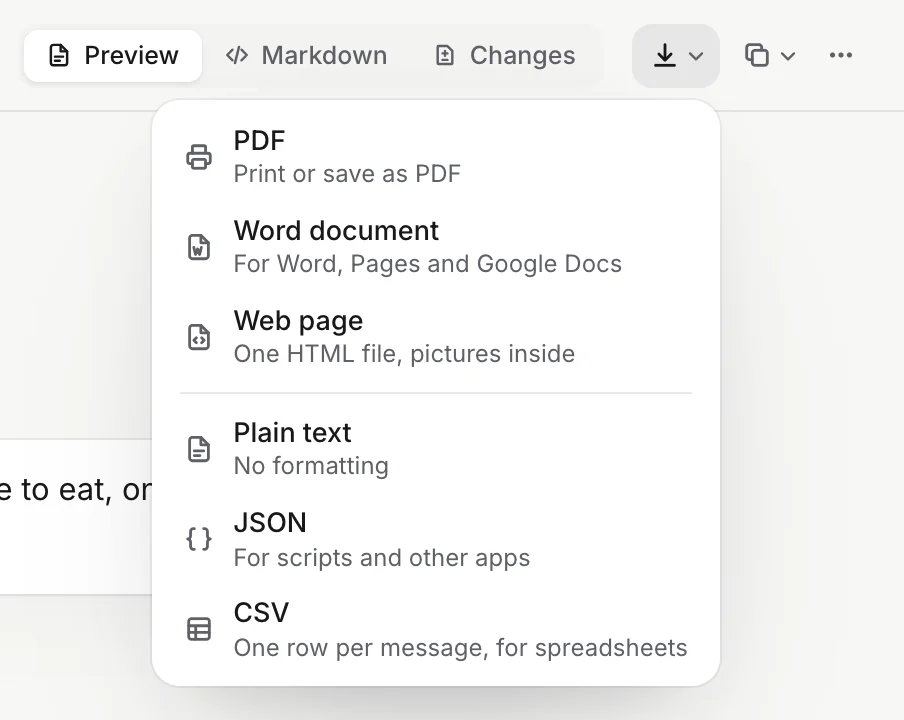
As well as PDF and HTML, you can now save a chat as:
- **A Word document** (.docx) that opens in Word, Pages, Google Docs and LibreOffice. Each message starts with its speaker's name as a heading. Lists, tables and code keep their formatting, formulas become equations you can edit, and the chat's pictures and numbered sources come along. Charts, diagrams, dashboards and interactive answers are added as images, each with its name under it. A tall dashboard continues across pages.
- **Plain text** (.txt), with lists and tables kept easy to read.
- **JSON** (.json), for scripts and other apps: the chat's details, its properties, and each message both as Markdown and as plain text.
- **CSV** (.csv), with one row per message, for spreadsheets.
In the reader, they're in the new **Export** menu (the download icon in the chat's bar). On a chat page, the Save button's menu shows all six formats under **Save as**. Every file is made on your computer. See [Save as PDF, Word and other files](https://chattomarkdown.com/docs/1.0.3/export-pdf-html/).
## New: export only the messages you pick
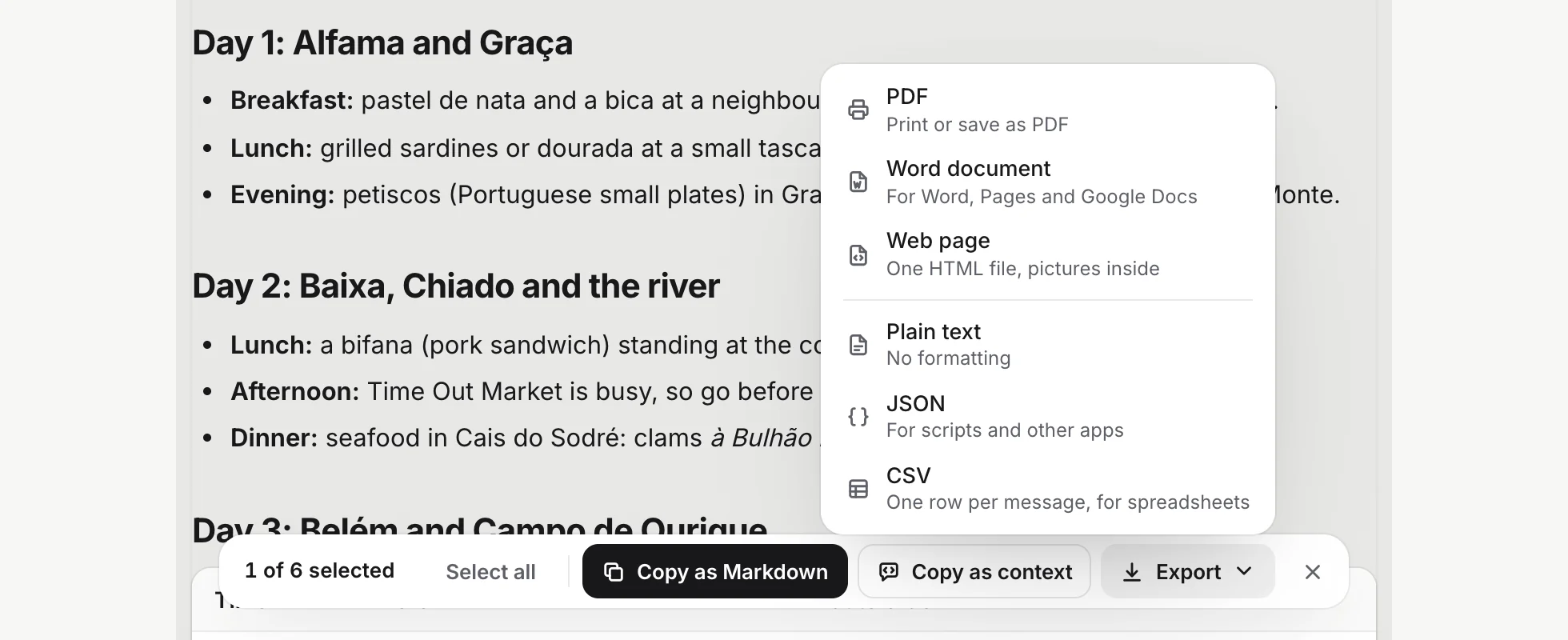
In the reader, choose **Copy → Select messages**, tick the messages you want, then click **Export** in the bar at the bottom. Every format works, and the file holds only those messages. Its name says how many, for example `Lisbon food trip (2 messages).docx`. See [Only some messages](https://chattomarkdown.com/docs/1.0.3/export-pdf-html/#only-some-messages).
## Changed: PDF and HTML moved to Export
In the reader, **Print or save as PDF** and **Download as HTML** used to be in the **More** menu (•••). They're now **PDF** and **Web page** in the **Export** menu, next to the other formats. Cmd+P (Mac) or Ctrl+P still prints. On a chat page, **Save as PDF** and **Save as HTML** are now **PDF** and **HTML** under **Save as**.
## New: help one click away
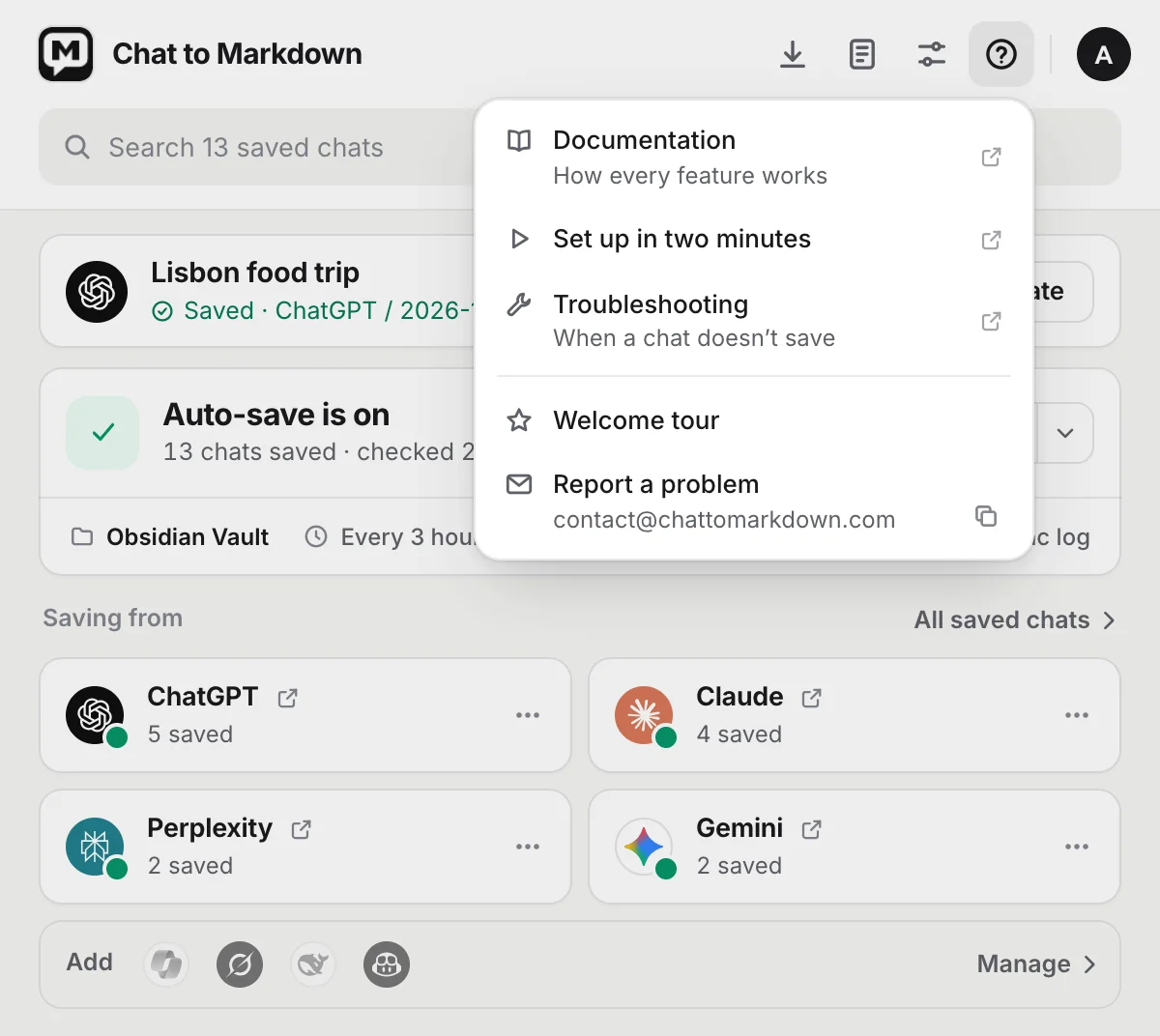
- **In the popup**, a **Help** button (the question mark) sits next to Settings. It opens **Documentation**, **Set up in two minutes**, **Troubleshooting** and the **Welcome tour**. **Report a problem** opens an email to support, and the support address is shown under it with a button that copies it.
- **In Settings**, **Documentation** is at the end of the sidebar and at the bottom of the page. Under each section's description, **Read the guide** opens that section's page in these docs.
- **In the reader**, a question mark at the bottom of the sidebar opens the reader's guide. **In the Sync log**, **Help** in the top bar opens the Sync log's guide.
## Fixed: Claude artifacts made with its newer tools
Claude now makes some artifacts, such as a design canvas, a dashboard or a web page, with a newer set of tools. Chats where it did were saved with their text only, with no sign of what Claude made. Now the note has a card at the spot where Claude made the artifact, with its kind, its title and **Open in Claude**, as it already did for older artifacts. Dashboards are still saved with their data.
To fix a chat saved before the update, open it on claude.ai and click **Save**, or use **Re-sync** in the reader.
## Fixed: empty Claude chats
Claude lists a new chat as soon as you open it, even if you never send anything in it. These chats were saved as empty "Untitled chat" notes. Later, the [Sync log](https://chattomarkdown.com/docs/1.0.3/sync-log/) could show **Couldn't save** for them with "Claude chat came back without messages".
Now:
- A chat with no messages is never saved, and it isn't reported as a problem. Once you send a message in it, it's saved as usual.
- It doesn't count as one of your 10 free chats.
- The empty note an earlier version saved for such a chat is deleted, but only if it has nothing but the chat's heading. If you wrote in it, it stays.
- A saved chat that has messages is never replaced by an empty one.
- Clicking **Save** on a chat page with no messages yet says there's nothing to save, instead of showing an error.
## Everything else is the same
The rest works as in 1.0.2: the same services, permissions, file format, plans and settings. Files saved by 1.0.2 are kept and updated in place. If you're still on 1.0.2, its docs are at [/docs/1.0.2/](https://chattomarkdown.com/docs/1.0.2/).
## Questions
### How do I get 1.0.3?
It is in the Chrome Web Store since 9 November 2026, and Chrome installs it on its own. To check, open the extension's Settings and look at the version at the bottom of the page.
### Do I have to set anything up again after updating?
No. Your folder, services, settings and saved chats stay as they are, and the update asks for no new permissions.
### Where did Print or save as PDF go in the reader?
It's now PDF in the new Export menu, the download icon in the chat's bar, next to Copy. Cmd+P or Ctrl+P still prints.
### Is exporting to Word part of Free?
Yes, for your 10 free chats, the same as PDF and HTML. Pro exports any chat.