What's new in 1.0.5
Chat to Markdown 1.0.5: Copilot chats and Claude dashboards are saved again, Grok private chats, tidier notes in Obsidian, and wide tables in the reader.
In short
Several chat sites changed in November, and version 1.0.5 keeps up with them. Microsoft Copilot chats and Claude dashboards are saved again, and Grok's private chats and new Perplexity threads now have a Save button. In Obsidian, notes have a clearer outline, text from a chat no longer creates tags, and dates work as dates. In the reader, wide tables open in a large window. A chat you saved with the Save button now stays up to date, even before you press Start saving.
On this page
- Get the update
- What happens to your saved notes
- Saving
- Fixed: Microsoft Copilot chats are saved again
- Fixed: Claude dashboards are saved again
- New: save Grok’s private chats
- Fixed: Save button on new Perplexity threads
- Improved: the Save button in the right place
- Changed: chats you saved stay up to date before Start saving
- Improved: real names for new chats
- Your notes
- Improved: easier to read in Obsidian
- New: dates work as dates in Obsidian
- Improved: ChatGPT interactive answers saved in full
- Improved: Gemini sources and Canvas apps
- Fixed: correct sources in DeepSeek chats
- Improved: better notes from other services
- The reader
- New: wide tables open in a window
- Fixed: Claude’s published apps work in the reader
- Fixed: smaller fixes in the reader
- Settings and popup
- Improved: Apply to saved files does more
- Improved: the Sync log is always one click away
- Questions
Several chat sites changed in November, and version 1.0.5 keeps up with them. It also makes your notes easier to read in Obsidian. This page lists every change. All versions are on the release notes page.
Get the update
Version 1.0.5 is in the Chrome Web Store since 16 November 2026. Chrome updates extensions on its own, usually within a few hours, and new installs get 1.0.5 right away. You don’t need to set anything up again: your folder, services, settings and saved chats stay as they are, and the update asks for no new permissions.
To check which version you have, open the extension’s Settings and look at the bottom of the page. Once you have the update, it says v1.0.5. To get it sooner once it is out, open chrome://extensions, turn on Developer mode and click Update. More in Install the extension.
What happens to your saved notes
Chats saved from now on get every fix on this page. Some older notes are fixed on their own after the update:
- DeepSeek chats are saved once more in the background, so their sources point to the right pages.
- Claude notes that lost their dashboard in 1.0.4 are found and repaired.
- Copilot chats that couldn’t be saved are saved by the next sync.
For other chats, use Re-sync in the reader to update one chat. To update the headings, tags and interactive answers of all your files at once, use Settings → File names → Apply to saved files. See Apply to saved files does more.
Saving
Fixed: Microsoft Copilot chats are saved again
Copilot changed how it sends chats, and no Copilot chat could be saved. This works again, and the next sync saves the chats that were missed.
- If a chat loads only partly, for example because the connection dropped, the extension doesn’t save the incomplete copy. It tries again on the next sync.
- When you ask Copilot to answer again, only the answer you see is saved. With Earlier versions on, the other answers are kept under it.
- Documents you upload, which Copilot now keeps in OneDrive, are listed in your message with a link.
- A Copilot page made without code in the chat is saved as a link to it, and a code page that is a whole web page is saved as that web page.
Fixed: Claude dashboards are saved again
After a change on claude.ai, dashboards were saved as an empty card, without their charts and data files. They are saved in full again. Notes that lost a dashboard this way in 1.0.4 are repaired on their own after the update.
Files Claude gives you keep their full names, such as Q3 Budget Report.xlsx.
New: save Grok’s private chats
Private chats on Grok had no Save button. Now you can save them with the Save button, the shortcut or the popup. The button sits next to Toggle right pane, the only button in a private chat’s header. The file is marked private: true.
Private chats aren’t in Grok’s chat list, so a sync can’t find them. Click Save, or simply leave the chat: like any other chat, it is saved a few seconds after you switch away (once you have pressed Start saving).
Fixed: Save button on new Perplexity threads
Perplexity changed the address of new threads, so they had no Save button and weren’t saved when you left them. Both work again.
Improved: the Save button in the right place
On pages without a Share button, the Save button used to float at the top of the page. Now it sits next to a button in the header:
| Page | Save sits next to |
|---|---|
| A ChatGPT temporary chat | ChatGPT’s own Save chat |
| A Grok chat | The chat menu (⋯), because Grok removed its Share button |
| A Grok private chat | Toggle right pane |
| A Claude incognito chat | Activity panel |
If a Share button appears later in the same header, the Save button moves next to it. See The Save button and shortcut.
Changed: chats you saved stay up to date before Start saving
If you saved a chat with the Save button before pressing Start saving, it fell behind as you kept chatting: the button showed Update and nothing happened when you left. Now the chat is updated when you leave it. Other chats are still not saved until you press Start saving, and nothing is saved while auto-save is paused. See Save when you leave a chat.
Improved: real names for new chats
A chat saved before the site gives it a title is named after your first words, or “New chat”. When the site gives it a title, the file is renamed to match. This happens once: later title changes still don’t rename the file, so your links keep working. See When a file is renamed.
Your notes
Improved: easier to read in Obsidian
- A clearer outline. Headings inside an answer now sit under
## Youand## Claude(or the service’s name). Obsidian’s outline shows your chat turn by turn, with each answer’s sections inside it, and you can fold a whole turn. - No stray tags. A “#word” in a chat, such as a hashtag in a drafted post or a colour code like
#0B1017, no longer creates a tag in your vault. It is saved as\#word, which Obsidian shows as plain text. - Prices stay prices. Two prices in one of your messages, like “$20 or $30”, are no longer shown as a formula.
- Formulas Obsidian can show. ChatGPT, Copilot, DeepSeek, Grok and Perplexity write formulas between
\(and\)or\[and\], which Obsidian doesn’t display. They are now saved between dollar signs, which Obsidian and GitHub do display. Code and text that only look like a formula stay as they are.
New: dates work as dates in Obsidian
If the folder you chose is the top folder of your vault (the one that holds the .obsidian folder), Obsidian now treats created and updated as dates. It shows a date picker for them, and you can sort and filter your chats by them. The extension sets this in the vault’s .obsidian/types.json. If you or a plugin already set a type for these properties, it stays as it is. See Use with Obsidian.
Improved: ChatGPT interactive answers saved in full
Numbers an interactive answer calculates, quizzes (as questions with the answers marked), places, image groups and links to sources are now saved as ChatGPT shows them. Before, many of them were saved as ”…”. If something still can’t be read, it stays ”…” rather than showing a wrong value.
Files made by code ChatGPT ran are saved next to the note, and a file ChatGPT quotes is listed as a footnote with its name and page.
Improved: Gemini sources and Canvas apps
- Newer Gemini answers show sources for each passage. Each passage now gets its footnote.
- Apps built in Canvas are saved as a web page next to the note, and the reader runs them, just like Gemini’s preview.
- Code keeps its brackets, suggestion buttons are left out, places link to Google Maps, and Try again no longer saves an upload twice.
Fixed: correct sources in DeepSeek chats
After a change on DeepSeek, notes linked some sources to the wrong pages. After the update, your DeepSeek chats are saved once more in the background, a few at a time, to fix this. This only reaches chats that still exist on DeepSeek, while you are signed in there. Anything you wrote above or below a chat stays, and with Keep a history of changes on, the previous version is kept.
Improved: better notes from other services
- Claude: charts saved as tables, files Claude sends you, uploaded CSV files, full-size images, and a summary of thinking Claude keeps hidden.
- Grok: pictures and files no longer split a sentence in two, and More sources lists only the X posts an answer cites.
- Perplexity: finance widgets saved as tables, and very small prices keep all their digits.
- GitHub Copilot: the issues, pull requests and files it looked at are listed with their repository, and files you pasted keep their text.
The reader
New: wide tables open in a window
A table wider than the page scrolls sideways, with a shadow on the side where more columns are. Columns of long text keep a comfortable width instead of a few words per line.
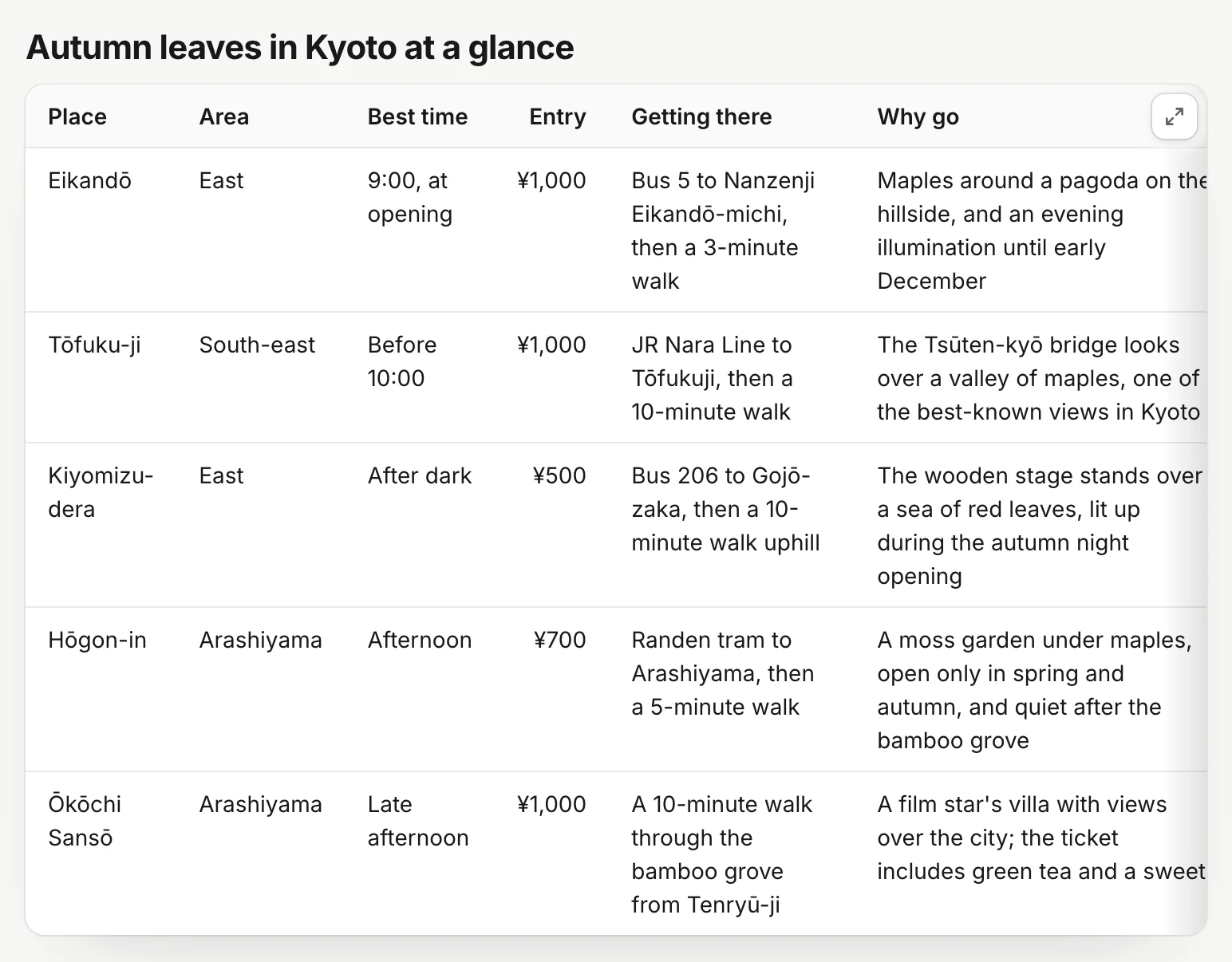
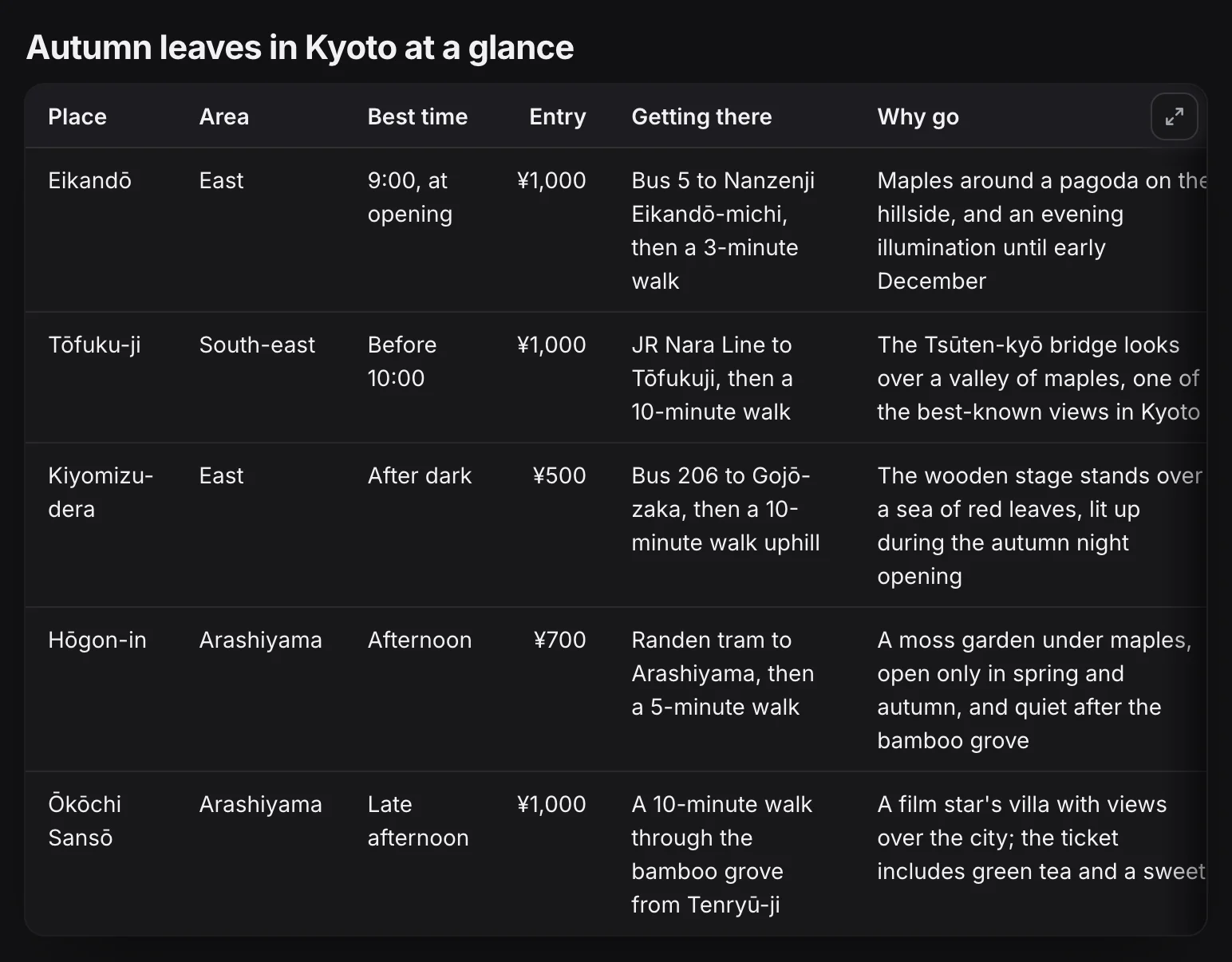
- Open the full table shows the whole table in a large window.

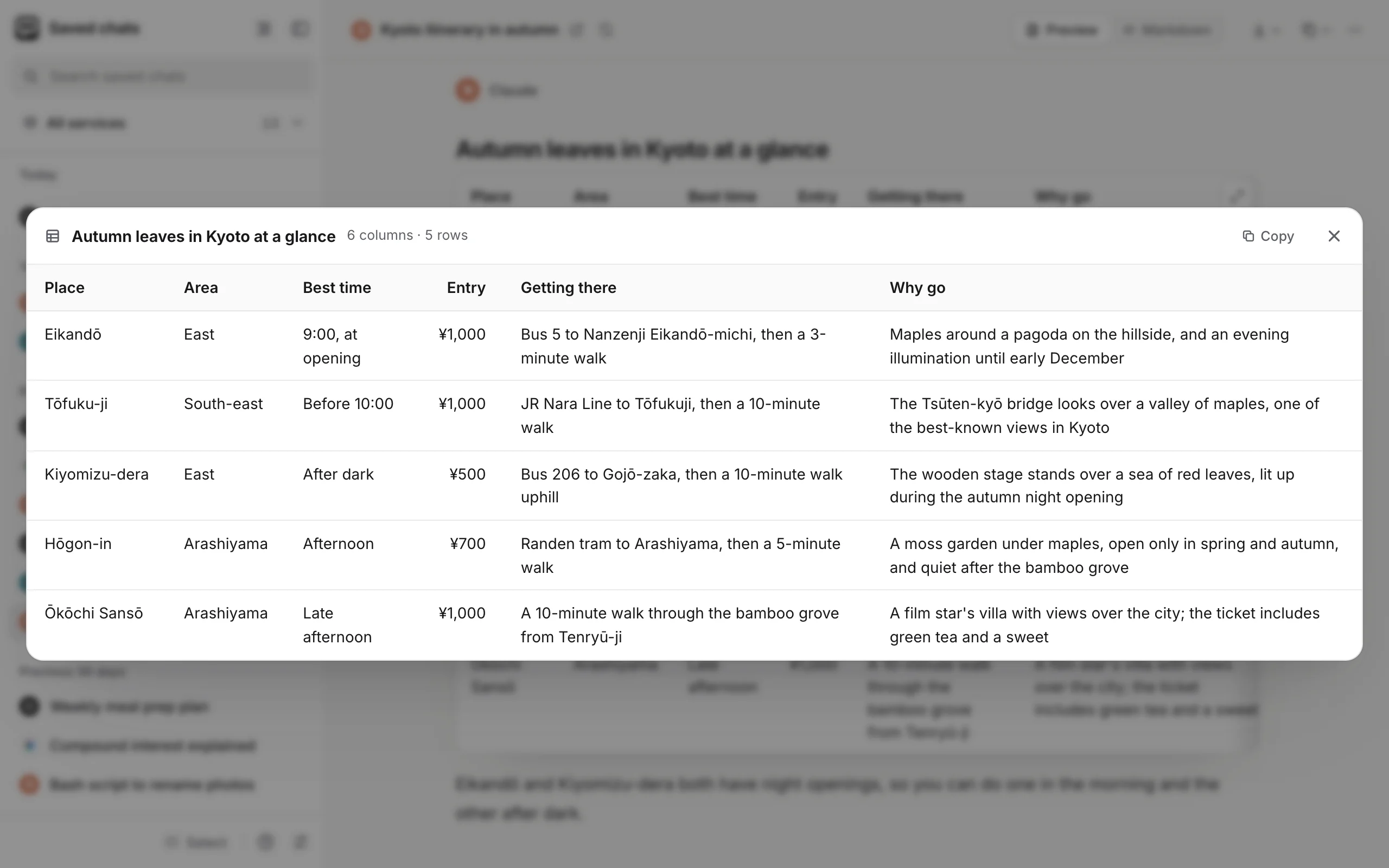
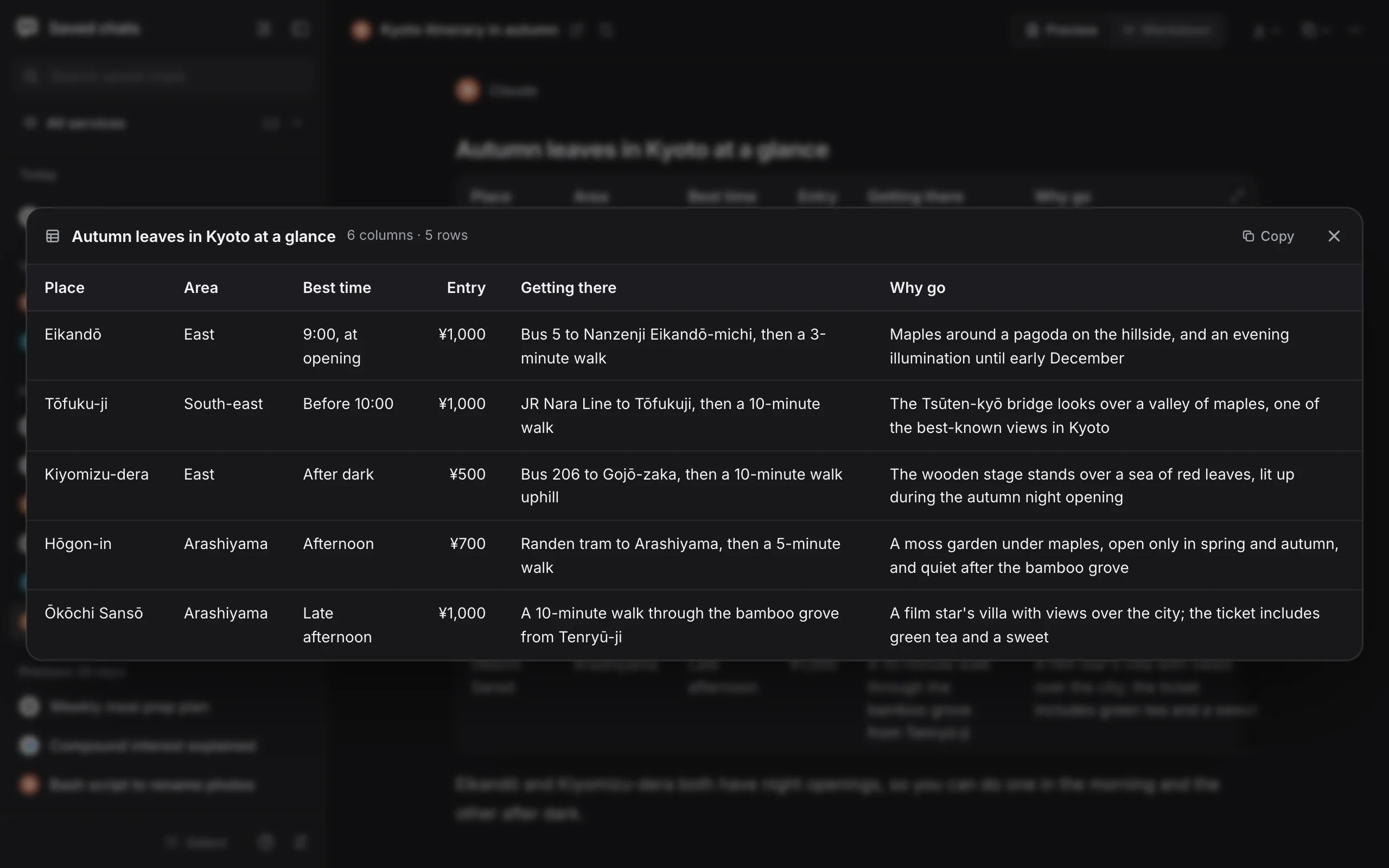
- Copy puts the table on the clipboard, ready to paste into a spreadsheet or a document.
- Close the window, or press Esc, or click outside it.
The header row and first column stay in place as you scroll. See Tables.
Fixed: Claude’s published apps work in the reader
Web apps Claude published showed up blank in the reader. They work now. An app also no longer scrolls the chat down when it loads.
Fixed: smaller fixes in the reader
- Thinking, More sources and Other versions stay in place instead of floating over the page.
- Text in escaped brackets, like
\[brackets\], is no longer shown as a formula. - Simple HTML formatting, such as
<kbd>,<sub>,<sup>,<mark>and<details>, looks as it does in Obsidian. - Prices in tables stay in their columns.
- The More button (•••) is hidden when its menu would be empty.
Settings and popup
Improved: Apply to saved files does more
Settings → File names → Apply to saved files now also:
- updates the text of chats you saved earlier, so they get the new headings and the fixes for tags and prices;
- updates ChatGPT interactive answers saved as pages, so they get this version’s fixes when you open them in a browser or in Obsidian. The result says how many were updated.
If a sync is running, Apply says it’s waiting for it and offers Don’t wait, instead of looking stuck at “0 of …”. See Apply to saved files.
Improved: the Sync log is always one click away
When the popup is too full to show the Sync log link, for example while a sync runs and a service waits for its site, a Sync log icon appears next to Stop or Sync now. See The popup.
Questions
How do I get 1.0.5?
It is in the Chrome Web Store since 16 November 2026, and Chrome installs it on its own. To check which version you have, open the extension's Settings and look at the bottom of the page.
Do I have to set anything up again after updating?
No. Your folder, services, settings and saved chats stay as they are, and the update asks for no new permissions.
Do my old notes get the fixes?
Chats saved from now on get them. DeepSeek chats and Claude notes that lost their dashboard are fixed on their own. For other chats, use Re-sync in the reader, or Settings → File names → Apply to saved files to update the headings, tags and interactive answers of all your files at once.
My Copilot chats stopped saving. Do I need to do anything?
No. After the update, the next sync saves the Copilot chats that were missed.